
Jobs to Inbox is a participant in the Amazon Services LLC Associates Program. When you buy through links on this page we may earn a commission, at no extra cost to you. We choose every product ourselves and we are never paid to include one. How we pick.
Work From Home Essentials and Desk Gear
12 Desk Organization Ideas That Make a Tiny Desk Work
These 12 desk organization ideas transform even the smallest corner into a functional, clutter-free workspace so you can finally focus.

The quick answer
- Go vertical with shelves, pegboards, and monitor risers.
- Tame clutter with drawer organizers and cable management.
- Create habits like a one-in-one-out rule and an end-of-day reset.
A tiny desk can feel like a huge barrier to productive remote work. When every square inch is covered in papers, cords, and coffee cups, your physical clutter translates directly into mental clutter, making it nearly impossible to focus. We have put together twelve specific desk organization ideas to help you reclaim your workspace, no matter how small it is.
These solutions range from simple tools to powerful habits, all designed to make your tiny desk feel spacious, functional, and ready for focused work. By implementing even a few of these strategies, you can create a professional environment that supports your career goals instead of holding you back.
Our tested picks for an 8-hour day
Smallest real footprint
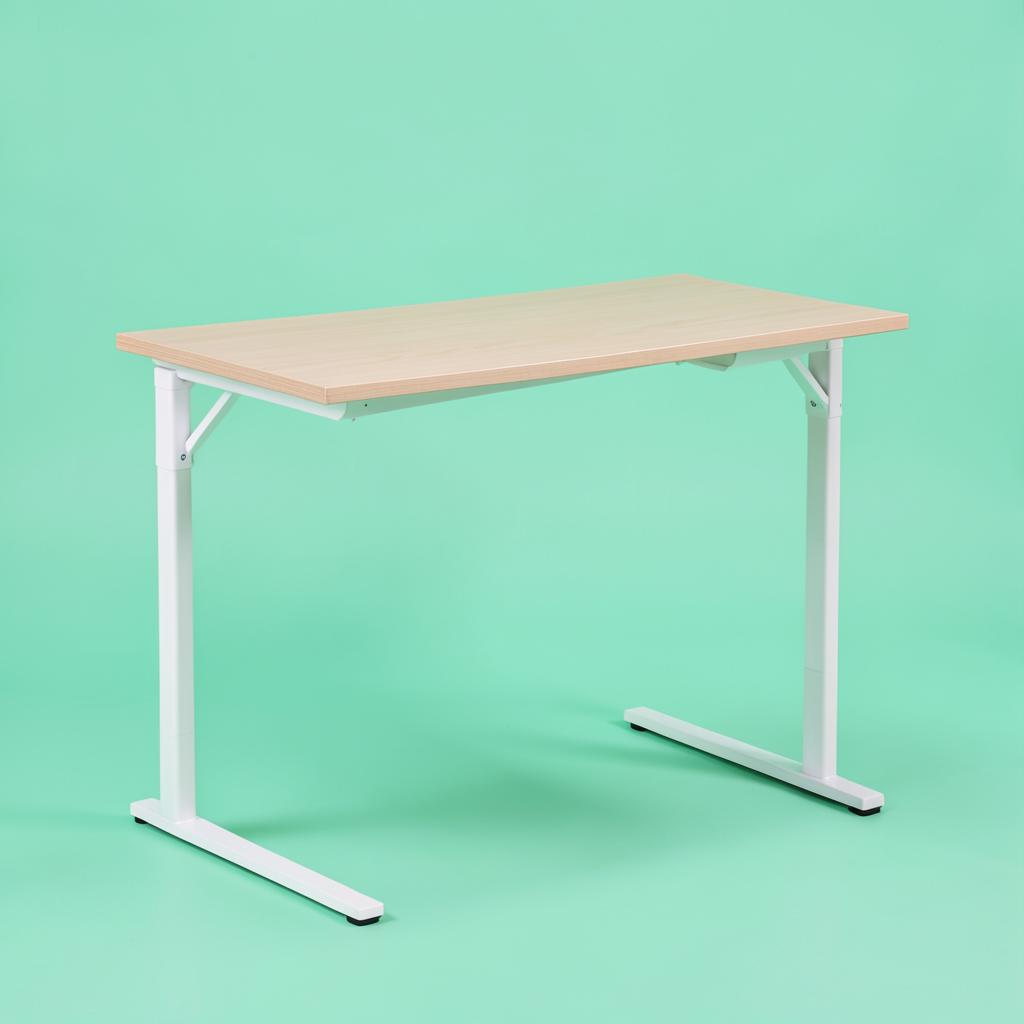
Prepac Floating Desk
Hallways and rooms where nothing can touch the floor.
Mounted into studs, this gives you a working surface with no legs to walk into and a clear floor underneath, which visually gives a small room back to you. There is a drop-down section that hides pens, cables and a notebook, so the wall looks tidy when you stop for the day. The trade-offs are real: you are drilling into a wall, the height is fixed at whatever you mount it at, and the weight limit suits a laptop, a light monitor and a lamp rather than two big screens.
The one I use — best overall
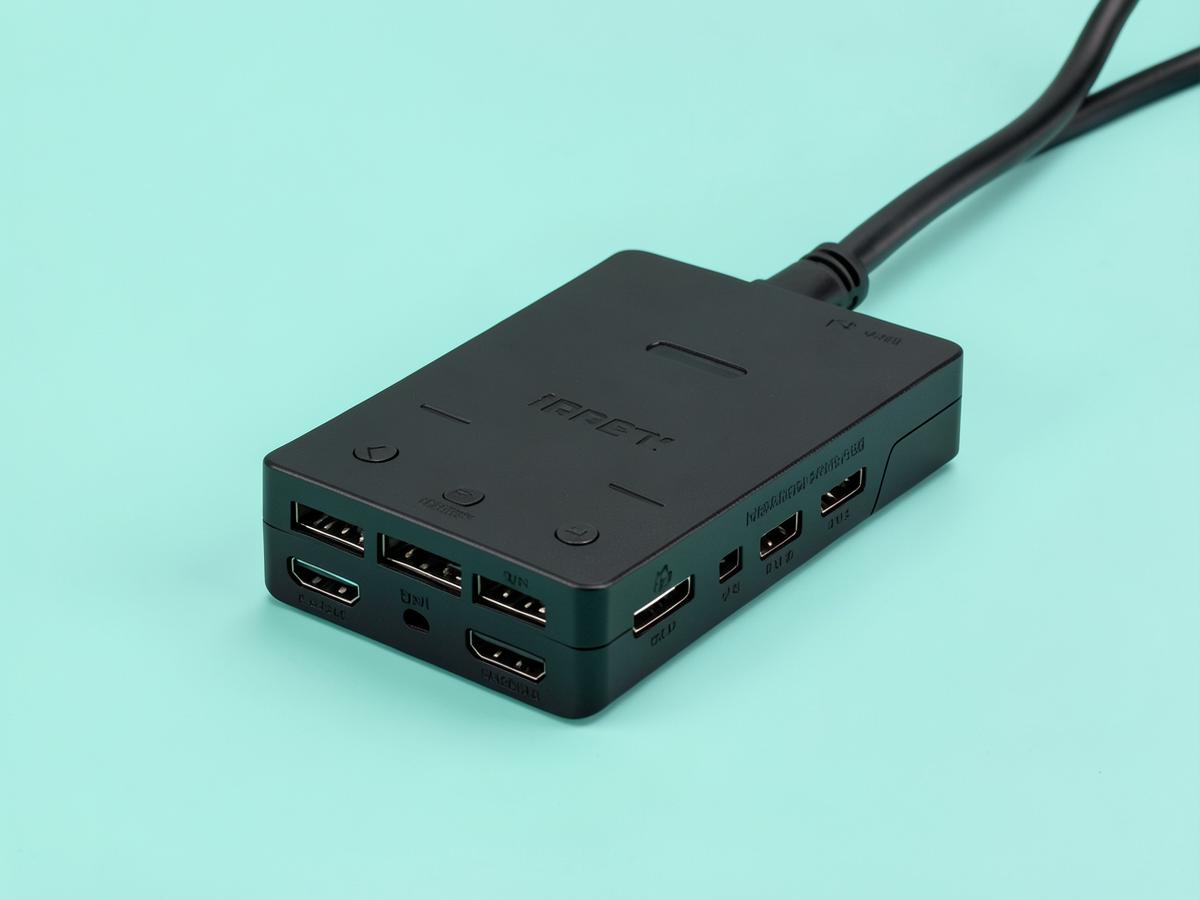
Anker Laptop Docking Station Dual Monitor 8-in-1
Two external screens, one cable, and a morning routine you stop noticing.
Months in, the thing I notice about this dock is that I do not notice it. One USB-C cable goes into the laptop and two monitors, a keyboard, a mouse, a headset and the charger all come alive at once. It handles two screens over the twin HDMI outputs, passes power through to the laptop so there is no separate charger to fumble for, and includes ethernet — which matters more than people expect, because a wired connection during a long call is noticeably steadier than a flat's wireless. It runs warm after a full day, which is normal for the class, and the fixed cable is short enough that the dock has to sit near the laptop rather than tucked away behind the desk. Neither is a real complaint. What matters is that it has never dropped a screen mid-call, which is the failure mode that makes cheap docks worthless. If you work from a laptop with two monitors in front of you, this is the purchase that removes a small irritation from every single working day, and it costs less than a decent office chair cushion arrangement.
Best overall
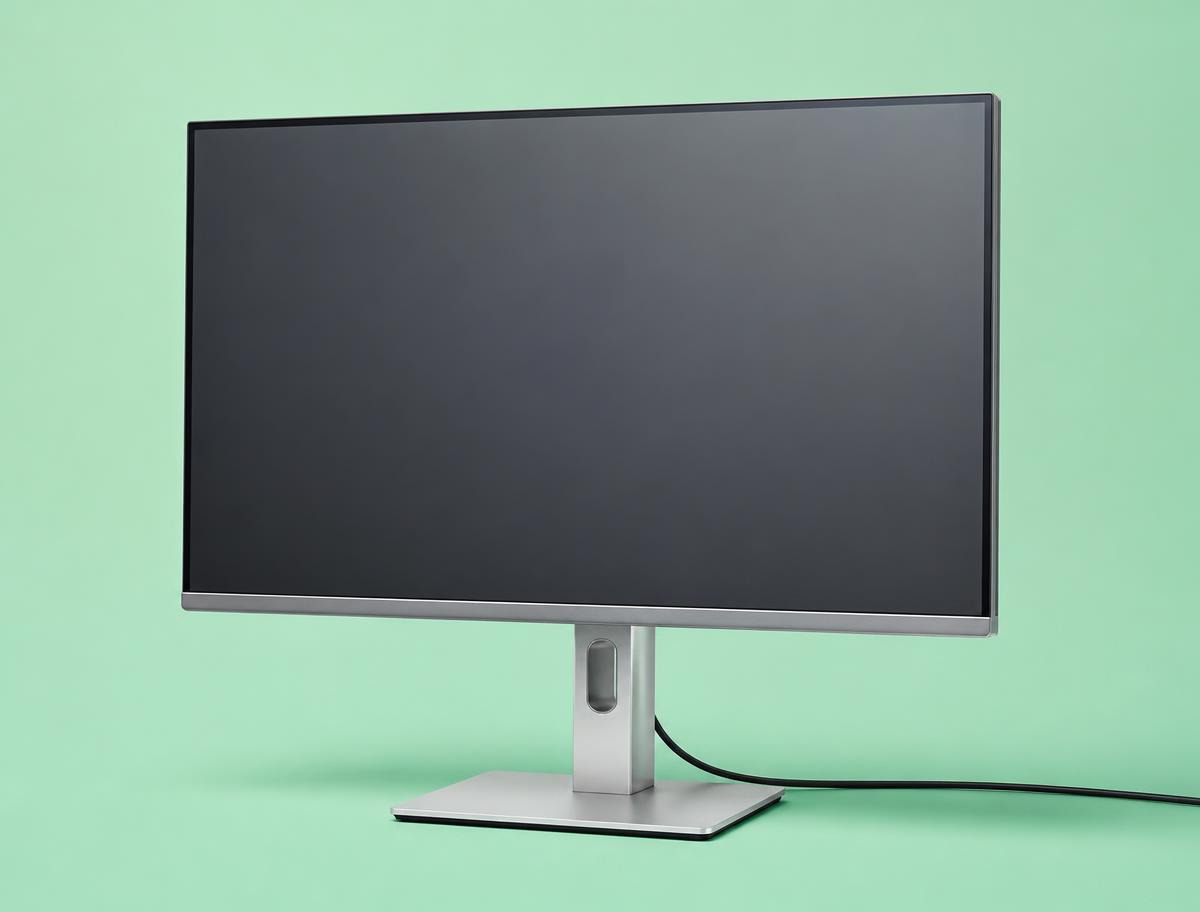
Dell S2722DC
One-screen setups where the laptop closes and lives on a stand.
A 27-inch 1440p panel with USB-C power delivery, which means a single cable to the laptop for video, data and charging. At this size 1440p is the sweet spot: two full documents side by side, text crisp at 100% scaling, and no display scaling to fight with on a work laptop. Height adjustment is built in, which quietly saves the cost of an arm.
Reclaim Your Surface Space
The most valuable real estate you have is the flat surface of your desk. The primary goal is to clear as much of it as possible to make room for your most immediate task. Getting items up and off the desktop not only creates physical space but also provides a significant psychological lift.
1. A Monitor Riser with Storage
Lifting your monitor is one of the quickest ways to instantly gain usable space. A monitor riser is a small stand or shelf designed to elevate your screen by a few inches. This simple adjustment does two important things. First, it improves your posture by bringing the top of the screen to your eye level, reducing neck and back strain over long workdays.
Second, and just as crucial for a small desk, it creates a new storage area underneath the monitor. This little garage is the perfect home for items that would otherwise be strewn across your desk. You can slide your keyboard partially underneath it when you need to write in a notebook. It can house a small tray for pens, a stack of sticky notes, or your daily planner. Some risers even come with built-in drawers or slots for phones and tablets, adding another layer of organization. They are available in a variety of materials, from warm bamboo and wood to sleek metal or clear acrylic, allowing you to match the look of your existing space.
2. A Space-Saving Monitor Arm
For the ultimate space-saving solution, a monitor arm is unbeatable. Unlike a riser that still has a footprint on your desk, a monitor arm clamps to the back or side of your desk and holds your screen aloft on a flexible, jointed arm. This frees up one hundred percent of the space underneath the monitor, creating a wide-open surface that makes a small desk feel twice as big.
The flexibility is a major benefit. You can easily pull the monitor closer, push it farther away, tilt it to reduce glare, or even rotate it from a landscape to a portrait orientation, which is incredibly useful for reading long documents or coding. This level of control allows you to adapt your setup to the task at hand. Installation is typically straightforward, involving a sturdy clamp that attaches to the edge of your desk without the need for drilling. Before choosing one, just ensure your desk has a suitable lip for clamping and that your monitor has the standard four-screw mounting pattern on the back.
Conquer Your Drawer and Desktop Clutter
Once you have the big items handled, the next challenge is the swarm of small things that create chaos. Pens, paper clips, charging cables, and notepads can quickly overtake a surface. Taming this "smalls" clutter is essential for maintaining a calm and focused workspace.
3. Modular Drawer Organizers
A desk drawer without organizers is just a junk drawer waiting to happen. It becomes a tangled mess where you can never find what you need. Modular drawer organizers are the answer. These are individual trays and containers, often designed to interlock, that you can arrange to perfectly fit your drawer and your stuff.
The process is transformative. Start by completely emptying the drawer. Group all the similar items together: all your pens, all your highlighters, your paper clips, your binder clips, and so on. This shows you exactly what you have and what size containers you need. Then, you can select organizers—made from materials like sustainable bamboo, clear plastic, or soft felt—and create a custom layout. You will have a specific home for everything. Opening your drawer to a tidy, logical system instead of a jumble of supplies saves time and removes a surprising amount of daily friction.
4. A Sleek Desk Shelf
A desk shelf, sometimes called a desk shelf system, acts as a second tier for your workspace. It is typically a long, narrow shelf that runs the length of your desk, either sitting on legs or clamping to the sides. It elevates a whole category of items, keeping your primary work surface clear for your keyboard, mouse, and current task.
This is the perfect place for things you want nearby but not directly in your way. It can hold small speakers, a plant, a framed photo, your pen cup, and your favorite notebooks. By creating a distinct upper level, it adds dimension and a sense of intentional design to your desk. It visually separates your active work items from your secondary accessories and decor. For a tiny desk, this addition can make the entire setup feel more like a complete, thoughtfully designed workstation rather than just a small table with a computer on it.
The Best Desk Organization Ideas Go Vertical
When you cannot expand outward, you must go upward. Using the wall space above and around your desk is the single most effective strategy for conquering a small footprint. Vertical organization keeps supplies and tools accessible without consuming a single inch of your precious desk surface. These desk organization ideas are especially powerful in tight quarters.
5. A Versatile Pegboard System
A pegboard mounted on the wall behind your desk is a game-changer for organization and personalization. It is a perforated hardboard that accepts a wide array of hooks, shelves, cups, and clips. This flexibility allows you to create a completely custom storage hub for all your work essentials. Hang your headphones on a simple hook. Use a small wire basket to hold charging bricks and cables. Add a cup holder for your pens and scissors. Install a small shelf for your external hard drive or a stack of notepads.
The beauty of a pegboard is that it evolves with your needs. As your workflow changes, you can simply rearrange the accessories. It gets all those little, easy-to-lose items off your desk and puts them on display in an orderly fashion. Beyond its practical function, a pegboard can also be an aesthetic focal point. They come in various colors and materials, and you can arrange your items in a way that feels creative and inspiring. It turns your wall into a functional command center.
6. Floating Wall Shelves
If a pegboard feels too busy for your taste, a few simple floating wall shelves can provide a similar benefit with a more minimalist look. Installing one or two shelves on the wall above your monitor creates an immediate home for books, binders, and reference materials that would otherwise clutter your desktop or floor.
Think carefully about what you place on them. The shelf directly above your monitor is ideal for items you need to access occasionally but not constantly, like technical manuals, industry journals, or portfolios. You can also use this space for a bit of personality, like a small, low-maintenance plant or a piece of art that inspires you. Using wall shelves keeps these items within arm's reach but completely out of your primary zone of focus, maintaining that clear surface your brain needs to do its best work.
Manage Your Cords and Peripherals
Nothing makes a desk look more chaotic than a tangled nest of cables. Wires for your monitor, laptop, keyboard, mouse, and chargers create visual noise and can be a hassle to manage. Getting your peripherals and their cords under control is a deeply satisfying step toward a truly organized desk.
7. An Under-Desk Cable Tray
The single best way to deal with cable spaghetti is to make it disappear. An under-desk cable tray is a simple mesh or wire basket that mounts to the underside of your desk. This tray is designed to hold a power strip and all the excess lengths of your cables, getting them completely off the floor and out of sight.
The process is simple. First, mount the tray to the bottom of your desk, usually with a few small screws. Then, place your power strip inside the tray. Plug everything—your monitor, your laptop charger, your phone charger—into that single power strip. Neatly bundle the excess cord for each device using a reusable cable tie or velcro strap, and place the bundled cords into the tray. Now, only one single cord from the power strip needs to run to the wall outlet. The result is a dramatic and immediate improvement. Your floor is clear, and the visual chaos behind your desk is gone.
8. A Simple Headset Hook
A work headset is bulky, awkward, and often ends up just lying on the desk, taking up space and risking damage. A dedicated headset hook is an incredibly simple but effective solution. These hooks are small, inexpensive, and can be mounted in several convenient places.
Some are designed with a strong adhesive to stick to the side of your monitor. Others use a clamp or adhesive to attach to the edge or underside of your desk. Either way, it gives your headset a designated home. When you finish a call, you simply hang it up. It is out of your way, protected from spills, and easy to grab for your next meeting. This is a perfect example of a micro-organization tool that solves one specific, annoying problem, contributing to a greater sense of overall order.
9. An Ergonomic Keyboard Tray
For those who use an external keyboard and really need to maximize clear surface area, an under-desk keyboard tray is an excellent option. These trays are installed on runners beneath your desk, allowing you to slide your keyboard and mouse out when you need them and push them away when you do not.
This is particularly useful if your work involves more than just typing. If you need to spend time sketching, reviewing printed documents, or using a large planner, you can simply slide the keyboard out of sight, giving you the entire desk surface to work with. It creates a truly multi-functional workspace. In addition to the space-saving benefits, these trays also promote better ergonomics by allowing you to position your keyboard at the correct height and angle to reduce wrist strain.
Build Habits for Lasting Organization
Even the best tools and accessories will not keep a desk organized on their own. The final, and perhaps most important, piece of the puzzle is building simple, sustainable habits. These routines are what prevent the clutter from creeping back in and ensure your workspace remains a productive haven day after day.
10. The One-In, One-Out Rule
This is a classic decluttering principle that works wonders for a small desk. The rule is simple: for every new item you bring into your workspace, one similar item must leave. This prevents the slow, steady accumulation of stuff that leads to overwhelming clutter.
If you buy a new set of pens, take a moment to go through your old ones and recycle or discard any that are dried out or that you never use. When you get a new notebook, decide if an old one can be archived or if its remaining pages can be consolidated. If a new report is printed, make sure a previous, outdated one is filed or shredded. This habit forces you to be mindful of what you keep on your desk and in your drawers. It is a proactive strategy that keeps your inventory of supplies lean and relevant.
11. A Vertical File Holder
Paper is one of the biggest culprits of desktop clutter. A single horizontal letter tray can quickly become a messy, unmanageable pile. A vertical file holder, on the other hand, stores papers upright, which takes up a much smaller physical footprint on your desk.
Use a vertical holder for active documents only—the papers you need for the project you are working on today or this week. The vertical orientation keeps them contained and visible, so you do not forget about them, but prevents them from sprawling across your workspace. This small shift in storage encourages you to deal with paper more quickly. Because you can see every file, you are more likely to process it, act on it, and then file it away properly instead of letting it sink to the bottom of a pile.
12. The End-of-Day Reset
Creating a closing ritual for your workday is one of the most powerful desk organization ideas you can adopt. An end-of-day reset is a five-minute routine you perform before you sign off. During this time, you quickly tidy your workspace to prepare it for the next morning.
The routine can be simple: put your pens back in their holder, file any loose papers from the day, wipe down your desk surface, and neatly wrap up your charging cables. The goal is to leave your desk in the state you want to find it in tomorrow. Starting your day at a clean, organized desk eliminates morning friction and allows you to get right to work. It also provides a clear signal to your brain that the workday is over, helping you disconnect and maintain a healthier work-life balance.
A Professional Workspace for a Professional Role
You are putting in the effort to create a professional, organized workspace because you have a professional, legitimate remote job. As you browse opportunities, it is critical to apply that same sense of order and diligence to vetting potential employers. The remote job market is filled with incredible roles, but it also has its share of scams. Protecting yourself is part of being a remote professional.
One of the biggest red flags is a job offer that comes without a real interview. Legitimate companies will want to speak with you, usually through multiple video calls with different team members. A hiring process that happens entirely over text message or an instant messaging app is highly suspicious. Be wary of any communication that is filled with grammatical errors, typos, and unprofessional language.
Never provide your personal banking information for "direct deposit setup" before you have received and signed an official offer letter and completed formal onboarding paperwork. Scammers use this tactic to gain access to your accounts. Similarly, be extremely cautious of any "employer" who asks you to pay for your own equipment or training, even with a promise of reimbursement. A common scam involves sending you a fake check, instructing you to deposit it and then immediately use the funds to buy equipment from their "preferred vendor." The check will eventually bounce, but not before you have sent your own real money to the scammer. Reputable companies will either provide you with equipment directly or give you a stipend to purchase it.
Always trust your gut. If a job offer feels too good to be true, or if the hiring manager is pressuring you to make a decision immediately, take a step back. A real opportunity will still be there after you have had time to properly research the company and feel confident in your decision.
What to Do Today
Seeing a list of twelve ideas can feel overwhelming. The key is to start small and build momentum. You do not need to completely overhaul your desk overnight. Here is a simple, concrete plan to get you started today.
First, take a moment to look at your desk as it is right now. Without judgment, simply observe. What is the single biggest source of your frustration? Is it the tangled mess of cables on the floor? The piles of paper? The random collection of pens, clips, and sticky notes scattered everywhere? Identify your number one pain point.
Second, review the list above and choose the one idea that directly addresses that specific problem. If cables are driving you crazy, focus on an under-desk cable tray. If paper is the enemy, a vertical file holder is your first move. If your monitor is taking up too much room, start by researching a monitor riser.
Third, take one small action toward that solution. This does not mean you have to buy it today. Just measure the space. Measure the width of your drawer for organizers. Measure the height you would need a monitor riser to be for comfortable viewing. This simple act of measuring turns an abstract idea into a concrete project.
Finally, while you plan your first purchase, adopt one of the habits. Start the end-of-day reset tonight. It costs nothing, takes only five minutes, and will have an immediate, positive impact on how you feel when you sit down to work tomorrow morning.
Pay figures are typical ranges, not guarantees. See today's live jobs.