
Jobs to Inbox is a participant in the Amazon Services LLC Associates Program. When you buy through links on this page we may earn a commission, at no extra cost to you. We choose every product ourselves and we are never paid to include one. How we pick.
Work From Home Essentials and Desk Gear
What to Look For in a Headset for Remote Customer Service and Call Center Jobs
Choosing the right headset for remote work is critical; focus on the mic, comfort, connection, and employer rules to succeed in your new role.

The quick answer
- A noise-canceling microphone is non-negotiable for professionalism.
- Your choice between wired or wireless impacts both cost and freedom of movement.
- Always check the employer's equipment rules before you buy anything.
Finding a remote customer service job is an exciting step, but then a new wave of questions arrives. Suddenly, you need to build a professional workspace at home, and one of the most important tools is your headset. Choosing the right headset for remote work can feel overwhelming with endless options, technical terms, and a wide range of prices. It’s a decision that feels small but has a huge impact on your day-to-day success.
This guide is here to cut through that confusion. We will walk through the eight most important things to look for when selecting a headset for a call center or customer service position. Making an informed choice means you will sound professional, stay comfortable through long shifts, and start your new remote job with confidence, knowing you have the right equipment to perform at your best.
Our tested picks for an 8-hour day
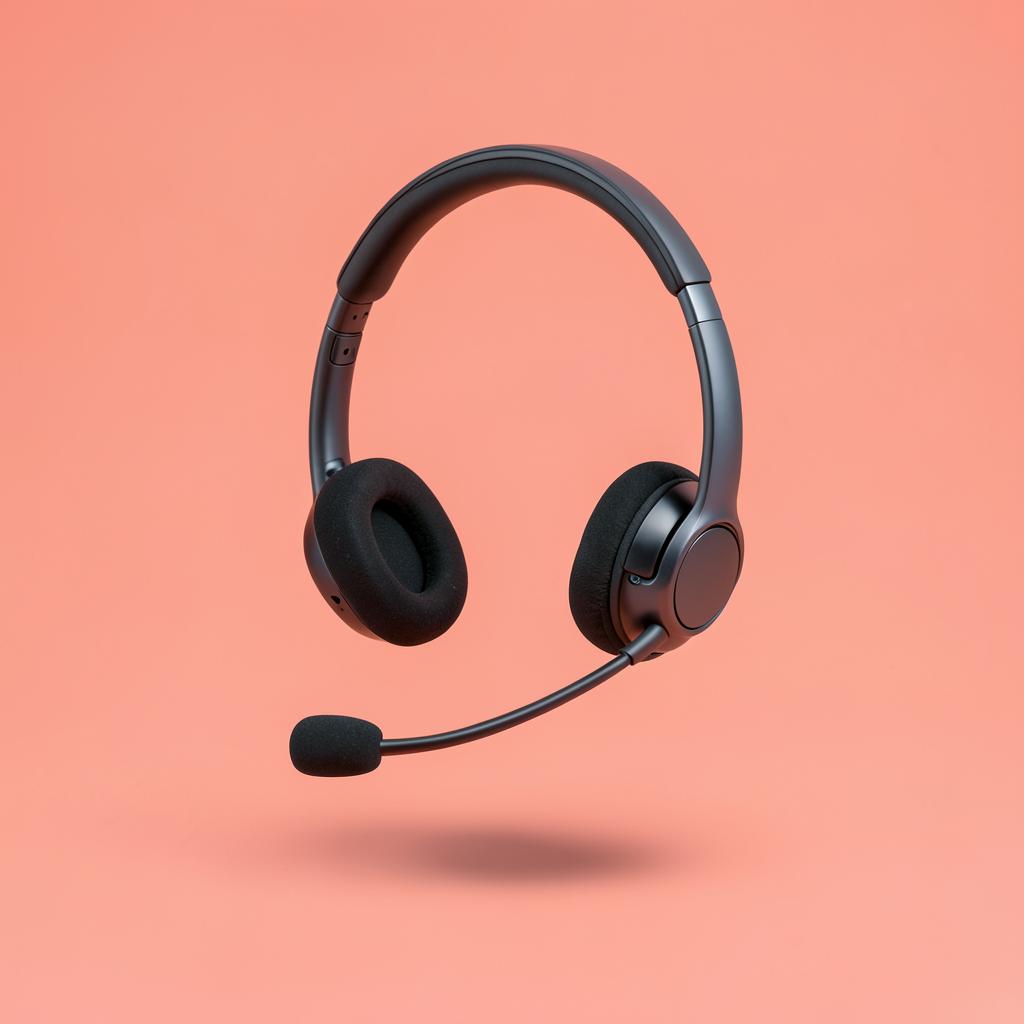
Best overall
Logitech Zone Vibe 100
Anyone on calls three to six hours a day who wants to stop noticing the headset.
At roughly 185 grams this is the lightest thing here that still has a real boom-free mic array, and that weight is the whole argument. The mic is not the best in this list, but it is clearly good enough for calls, and the trade is a headset you genuinely forget you are wearing by hour four. Cushions are memory foam and replaceable.
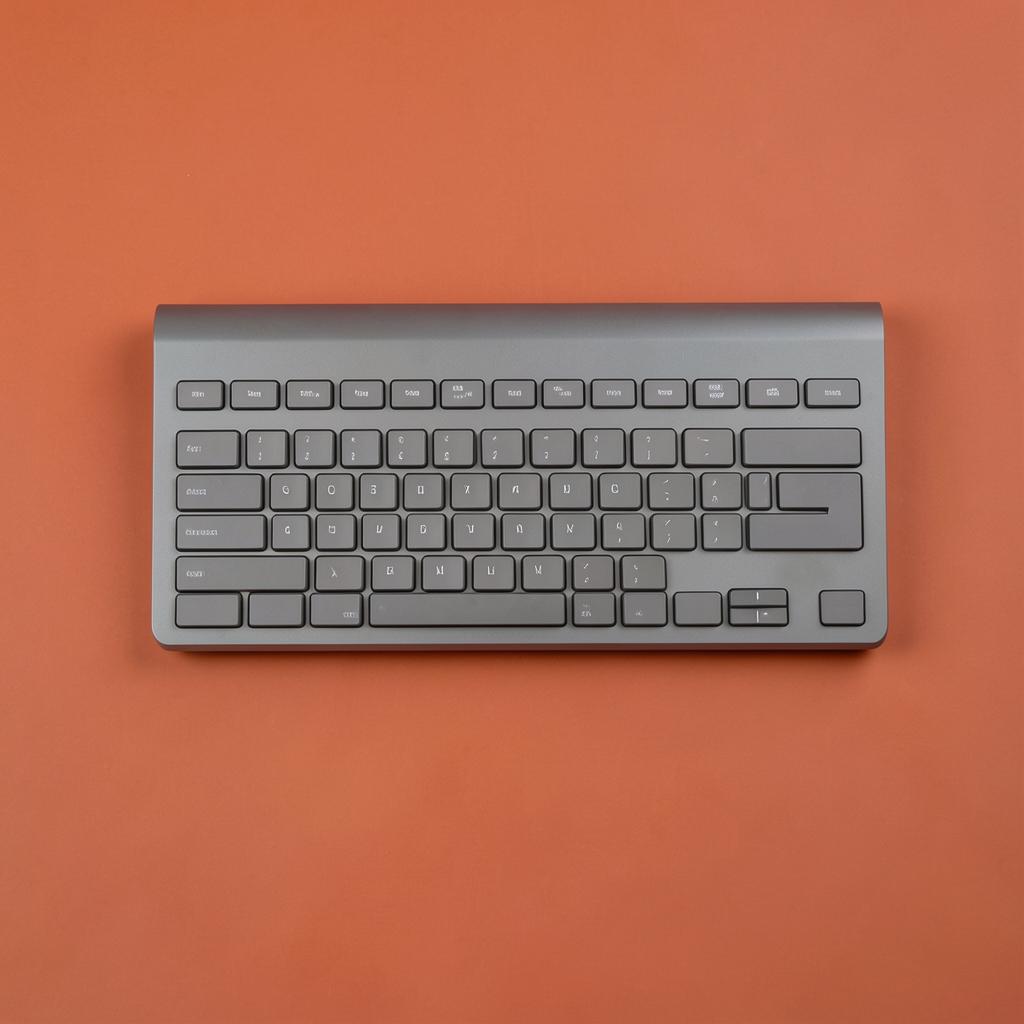
Bench winner — 9.4/10
Logitech K950 Wireless Keyboard
Shared rooms, thin walls and back-to-back calls.
The quietest board on the bench and the only one the listener in the next room could not hear at all. Low-profile scissor switches with a short, soft landing, and — crucially — a space bar that does not knock. Most keyboards fail on that one key, and this one does not. Typing feel is light and fast, closer to a good laptop than a desktop board, and the full-size layout keeps a number pad for anyone entering figures all day. Battery life runs into months on the supplied cells.
Core Features for Clear Communication
When your voice is your primary tool, ensuring it is heard clearly is the top priority. The features that control your audio quality are not just nice to have; they are essential for maintaining a professional presence and providing excellent service. A customer who has to ask "what did you say?" multiple times is a customer who is already having a bad experience. These first considerations are the foundation of a good work headset.
1. A Noise-Canceling Microphone
This is the single most important feature on the list, and it is not optional for a professional remote role. You may think your home is quiet, but a standard microphone will pick up the hum of the refrigerator, a distant siren, the air conditioning kicking on, a dog barking down the street, or a family member talking in another room. To a customer on the other end of the line, these sounds can be distracting at best and completely unprofessional at worst. They create an impression that you are not in a serious work environment.
A noise-canceling microphone is specifically designed to solve this problem. It uses technology to isolate your voice while actively filtering out ambient background noise. These microphones are typically on a boom arm that you can position close to your mouth. This proximity helps the headset distinguish your speech from other sounds. When you are evaluating a headset, the quality of its noise cancellation should be your primary concern. A model that makes your voice sound crystal clear, even with moderate background noise, is the goal.
Without this feature, you risk constantly apologizing for interruptions, needing to repeat yourself, and potentially failing the audio quality checks that many remote employers conduct. A customer should only hear you, not the daily life happening in your home. Investing in good noise-cancellation technology is an investment in your job security and your ability to perform your role effectively.
2. A Thorough Sound Quality Check
While the microphone is about what the customer hears, the speakers in your earcups are about what you hear. Poor speaker quality can be just as detrimental as a bad microphone. If you are straining to understand a customer with a soft voice or a poor connection, you cannot provide effective service. This can lead to fatigue, headaches, and mistakes in your work. Do not assume that a headset that sounds good for music will be good for voice calls. The audio profiles are very different.
Headsets designed for communication are optimized for the frequency range of the human voice, making speech clearer and easier to understand. Before committing to a headset, you need to perform your own quality check. The easiest way to test a microphone is to use your computer’s built-in voice recording application. Record yourself speaking a few sentences in a normal tone. Then, play it back and listen carefully. Does your voice sound clear and natural, or is it tinny, muffled, or full of static? Try turning on a fan or television in the background and record yourself again to test the noise-canceling feature.
To test the speakers, listen to the recording you just made. More importantly, if you can, use the headset to make a call to a friend or family member using a web-based video or audio calling service. Ask them how you sound on their end and pay close attention to how they sound to you. Are their words crisp and distinct? Is there any buzzing or crackling? A small audio annoyance can become a major issue when you have to listen to it for eight hours a day.
Choosing Your Connection and Freedom of Movement
Once you have established a baseline for audio quality, the next decision revolves around how the headset connects to your computer and how much freedom of movement you need during your workday. This choice affects your daily workflow, your desk setup, and the overall cost of the equipment. There is no single right answer; it depends entirely on your work style, budget, and personal preferences.
3. Wired vs. Wireless Models
The choice between a wired and a wireless headset is one of the biggest decisions you will make. Each has significant pros and cons that directly impact your workday. A wired headset connects to your computer via a physical cable. Its greatest strength is reliability. You never have to worry about battery life or a call dropping due to a lost signal. It is a plug-and-play solution that is dependable and consistent. Wired headsets are also typically less expensive than their wireless counterparts, making them a great budget-conscious choice. The primary drawback is the cord itself. It tethers you to your desk, which can feel restrictive. You cannot stand up and stretch your legs or grab a glass of water from the kitchen while on a call.
A wireless headset connects to your computer using radio frequency or other short-range wireless technology, offering complete freedom of movement. This can be a huge benefit for long shifts. The ability to stand, walk around your room, or grab a file from across the office while still connected to a call can improve comfort and reduce restlessness. However, this freedom comes with responsibilities. You must remember to charge the headset, as a dead battery mid-shift is not an option. Battery life varies, with most professional models offering enough power for a full workday, but it is something you must manage. Wireless models also typically come at a higher price point.
Your decision should be based on your work habits. If you value absolute reliability and are on a tighter budget, a wired headset is a fantastic and professional choice. If you know you get antsy sitting in one place for hours and are willing to manage battery life for the freedom to move, a wireless model may be worth the extra investment.
4. The Right Connection Type
This may seem like a minor technical detail, but choosing the wrong connection type means you may end up with a headset you cannot even plug into your computer. Before you shop, you must look at the available ports on the computer you will be using for work.
The most common connection for professional headsets is USB. There are two main types. USB-A is the traditional, rectangular connector that has been standard on computers for decades. Most work-issued and personal computers will have at least one of these ports. USB-C is the newer, smaller, oval-shaped connector found on many modern laptops and desktops. It is reversible, so you do not have to worry about plugging it in upside down. USB headsets are often preferred for call center work because the connection handles both audio and power, and often includes better digital sound processing directly in the cord or dongle.
Another connection type is the 3.5mm jack, which is the standard round plug you see on traditional headphones. While some headsets use this, it is becoming less common for professional use. The audio quality can sometimes be dependent on your computer's internal sound card, which might not be as high-quality as the processing built into a USB headset. Some computers, especially newer, thin laptops, do not even have a 3.5mm port anymore.
The action here is simple: physically inspect your computer. Identify the ports you have available. If you only have USB-C ports, you will need either a USB-C headset or a USB-A to USB-C adapter. Knowing this in advance prevents the frustration of ordering the perfect headset only to find it is incompatible with your machine.
Comfort and Control for Your Entire Shift
A remote customer service job often means wearing a headset for nearly eight hours a day. An uncomfortable headset is more than a minor annoyance; it can cause headaches, ear pain, and general fatigue that hurts your focus and job performance. Alongside comfort, having instant and intuitive control over your audio is critical for professional call management.
5. Comfort for Long Hours
What feels fine for a 20-minute call can become unbearable after several hours. When evaluating comfort, consider several factors. First is the headset's weight. A lightweight design will put less strain on your head and neck over the course of a day. Next, consider the clamping force, which is how tightly the headset presses against your head. It needs to be firm enough to stay in place but not so tight that it causes pressure pain.
The material of the ear cushions is also important. Leatherette cushions provide good passive noise isolation but can sometimes make your ears feel warm or sweaty after a few hours. Foam or velour cushions are often more breathable but may not block as much ambient sound. The headband should also have adequate padding to prevent a pressure point from forming on the top of your head. An adjustable headband and pivoting earcups are essential features, as they allow you to customize the fit to your specific head shape and size. Do not underestimate the importance of comfort. It is a key part of your workplace ergonomics and directly contributes to your well-being and productivity.
6. One Ear (Monaural) vs. Two Ears (Binaural)
You will see headsets described as either monaural (one earcup) or binaural (two earcups). This choice impacts both your level of focus and your awareness of your surroundings.
A monaural headset leaves one ear open. The main advantage is that you can remain aware of what is happening in your home. This can be important if you need to listen for a package delivery, a child calling for you from another room, or a smoke alarm. Some people also find it feels more natural, as it is similar to holding a phone to one ear. The downside is that with one ear open, you are more susceptible to being distracted by noises in your environment, which could pull your focus away from the customer.
A binaural headset covers both ears. Its primary benefit is immersion and focus. By blocking out sound in both ears, it helps you concentrate entirely on your conversation with the customer. This can be especially helpful if your home environment is not consistently quiet. The immersive sound can also make it easier to understand customers. The potential drawback is that you can feel very isolated from your surroundings, which some people find disorienting. Many remote employers recommend binaural headsets to promote focus, but your personal situation might make a monaural headset a better choice.
7. Easy-to-Access Mute Control
The mute button is your best friend in a remote call center job. An unexpected cough, a sneeze, a dog's sudden bark, or a question from a family member can happen to anyone. The ability to instantly mute your microphone is essential for professionalism. You need to be able to trust your mute function completely. Fumbling to find a mute button hidden in a software menu is slow and stressful.
Look for a headset with a physical, easy-to-access mute button. On wired headsets, this is often an inline control panel on the cord. On wireless models, it is typically a button on the earcup or the microphone boom itself. The best mute controls have two features. First, they are tactile and easy to find without looking. Second, they provide a clear visual indicator that you are muted. This might be a red light on the inline control, on the earcup, or at the tip of the microphone boom.
This visual confirmation is incredibly valuable. It eliminates the anxiety of wondering, "Am I actually muted?" It allows you to confidently handle a brief interruption and then unmute yourself smoothly to continue the conversation. A reliable, physical mute button is a small feature that provides enormous peace of mind and professional polish.
Navigating Employer Rules and Making a Smart Purchase
Before you spend a single dollar, there is one crucial step you must take. The world of remote work comes with policies and requirements, and equipment is often at the top of the list. Understanding these rules not only ensures you are compliant but can also save you from making a costly mistake.
8. Understanding Employer Equipment Requirements
This is arguably the most important practical step. Do not buy a headset before you have a confirmed job offer and have reviewed the company's technical requirements. Many remote companies, especially larger ones, have very specific rules about the equipment their employees must use. They do this to ensure security, reliability, and a uniform customer experience.
Some employers will require a specific type of connection, often demanding a wired USB headset to eliminate the variables of battery life and wireless interference. Some may have a list of pre-approved models that they have tested with their systems. In some cases, the company may even provide the equipment for you, either by shipping it to your home or by giving you a stipend to purchase it. If a company provides a stipend, they will still likely have guidelines on what you can buy.
Reading the equipment policy saves you guesswork and money. The worst-case scenario is spending over a hundred dollars on a high-end wireless headset only to find out your new job requires a specific wired model. Always wait. Once you receive your onboarding documents or new hire packet, look for a section on technology, equipment, or home office setup. If the information is not there, ask your hiring manager or the HR contact before you make a purchase.
A Quick Note on Spotting Scams
While discussing employer requirements, it is critical to mention a red flag related to equipment. Legitimate employers who require you to purchase your own gear will let you buy it from any reputable retailer. They will provide specifications, not a specific, exclusive vendor.
Be extremely wary of any "job offer" that requires you to pay for your equipment or training upfront, especially if they instruct you to buy from a single, unfamiliar website. A common scam involves sending you a fraudulent check, telling you to deposit it, and then instructing you to wire a portion of the money to their "approved equipment vendor." The check will eventually bounce, but not before you have sent your own real money to the scammer. Legitimate companies do not operate this way. They will either provide the equipment, offer a reimbursement after you have purchased it with your own funds, or provide a stipend.
Making a Smart Investment in Your Headset for Remote Work
Viewing your headset purchase as a professional investment rather than just an expense will help you make a better choice. The right headset for remote work can directly influence your performance, comfort, and even your long-term success in the role. While you do not need to buy the most expensive model available, understanding the typical cost ranges can help you set a realistic budget for a quality tool.
For a reliable, professional-grade headset that meets most employer requirements, you can expect the cost to fall into a few general tiers. Entry-level professional models typically range from $30 to $70. These are often wired USB headsets with decent noise-canceling microphones and basic comfort features. They are a solid starting point and will get the job done for many roles.
The mid-range, which is often the sweet spot for quality and value, typically falls between $70 and $150. In this tier, you will find headsets with superior noise-canceling technology, better build quality, enhanced comfort for all-day wear, and more robust features like visual mute indicators. Many excellent wireless options also start to appear in this price range. This is where most career-focused remote professionals make their investment.
Finally, the premium or professional-grade tier is typically anything over $150. These headsets offer top-of-the-line active noise cancellation, exceptional comfort with premium materials, very long wireless range and battery life, and sometimes advanced features like the ability to connect to multiple devices at once. While not necessary for most, they can be a worthwhile luxury for those in demanding, high-call-volume environments. Your choice of a headset for remote work is a foundational part of your home office, and budgeting appropriately for a quality tool will pay dividends in your daily work life.
What to Do Today
Feeling prepared to make a choice is about taking small, concrete steps. Instead of getting lost browsing endless product pages, focus on these actions to narrow down your options and prepare for your new remote job.
- Assess Your Workspace. Sit at the desk where you will be working. Close your eyes for a minute and just listen. What do you hear? Is there a consistent hum from an appliance? Do you hear traffic outside? Be realistic about the level of background noise a microphone will have to overcome.
- Check Your Computer's Ports. Look at the laptop or desktop computer you will use for work. Identify every available port. Note whether you have USB-A (the rectangle), USB-C (the oval), or a 3.5mm audio jack. This takes two minutes and instantly tells you what connection types are possible.
- Consider Your Personal Preferences. Think about your own work style. Do you feel restless when you have to sit still for a long time? A wireless headset might be worth it. Do you need to stay aware of your home environment for children or deliveries? A one-ear monaural headset could be the right choice.
- Set a Tentative Budget. Based on the typical ranges, decide what you are comfortable investing in this critical tool. Having a number in mind helps you focus your search on the right tier of products once you have a job offer.
- Wait for the Offer. The most important step is to pause. Do not buy anything until you have a signed job offer and have read the company's official equipment policy. This ensures your investment is the right one for your new role.
Pay figures are typical ranges, not guarantees. See today's live jobs.